Clients is where your company and Only work together: you see everything in progress, approve fast, ask for what you need and follow every deliverable for your business.
You see everything. Only takes care of it all.
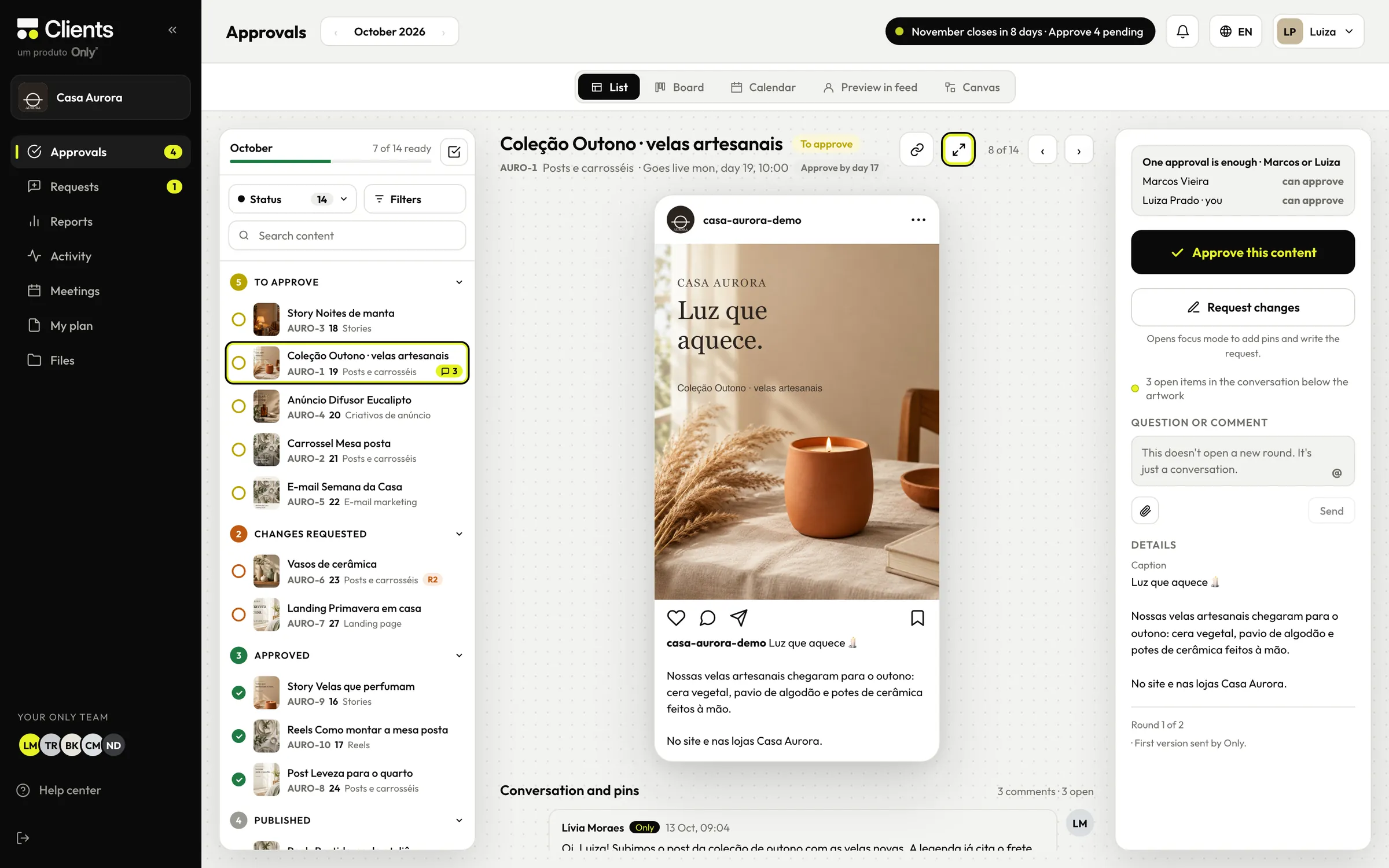
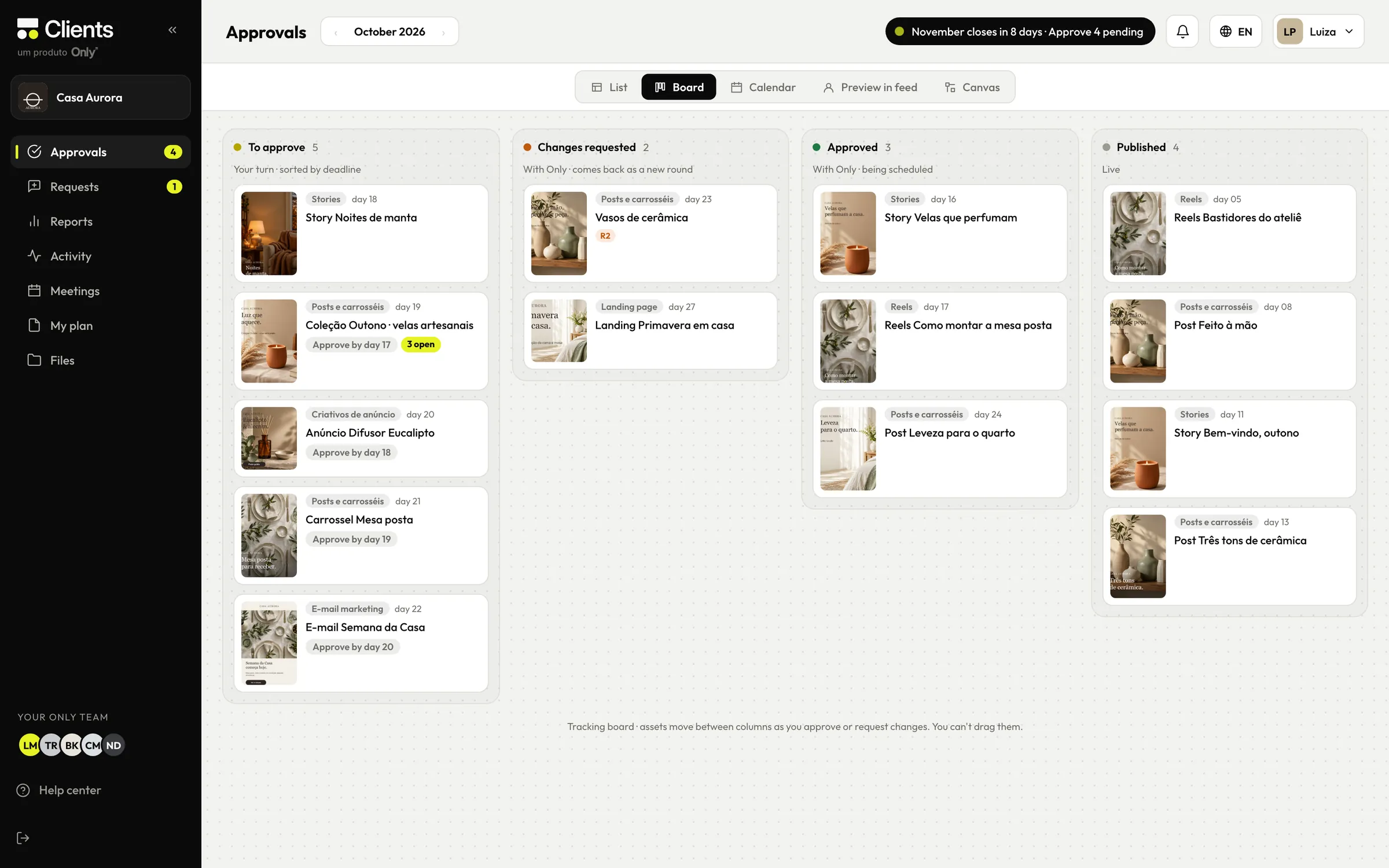
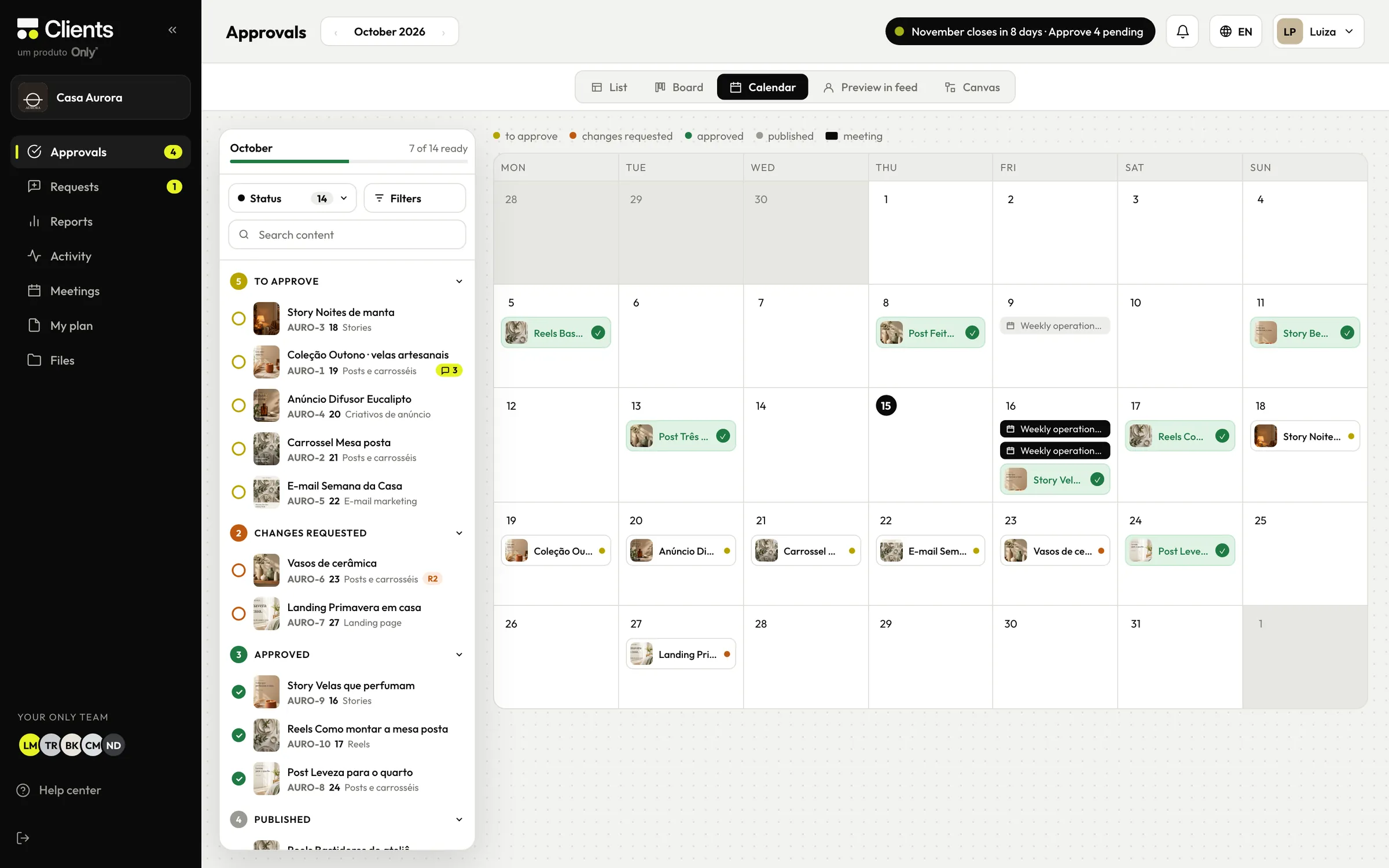
Every post, ad, email and page Only prepares for your company goes through here, with its date, status and who handled it.
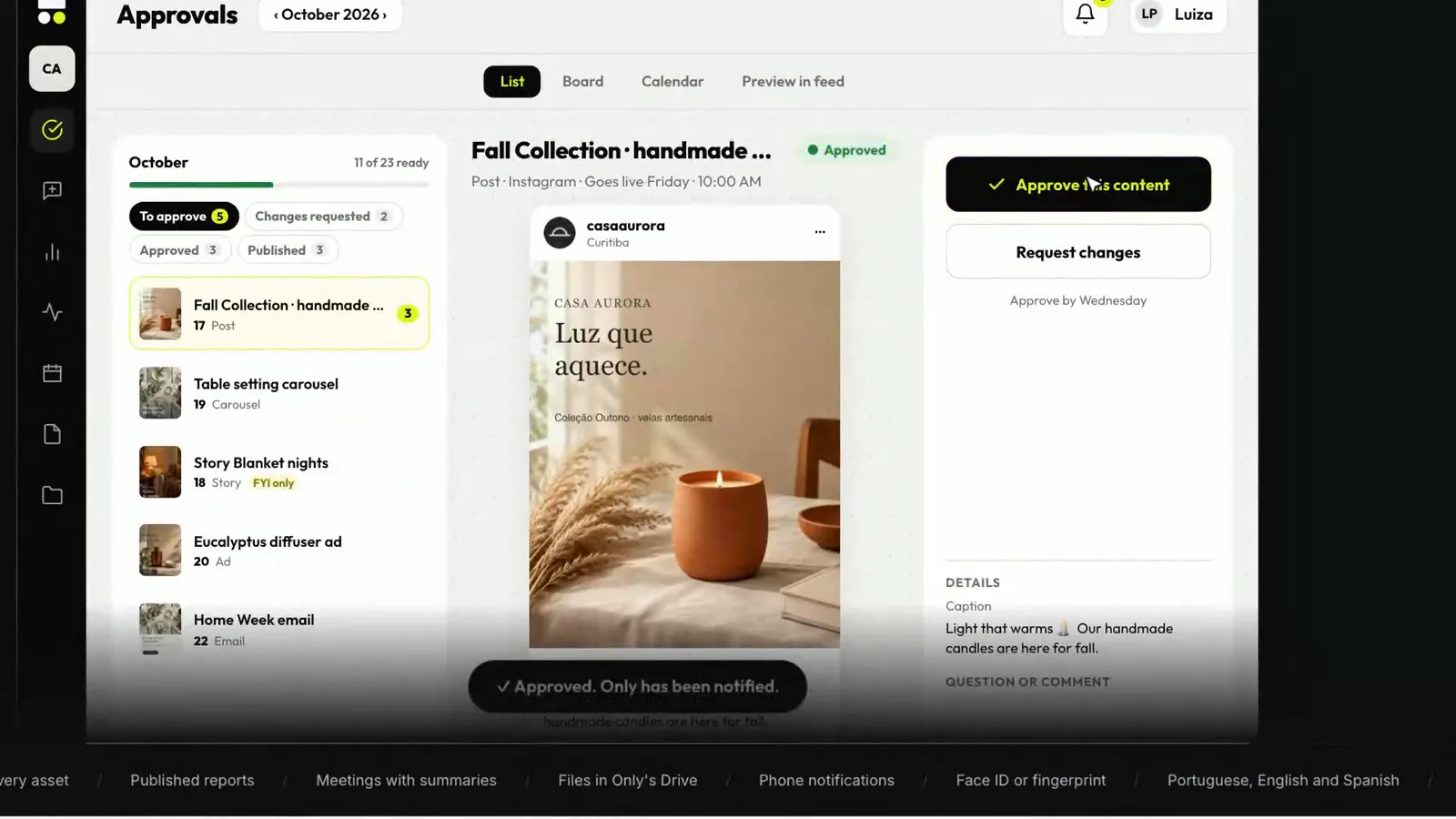
 ✓ Approved. Only has been notified.
Approve in one click. Request changes with a pin.
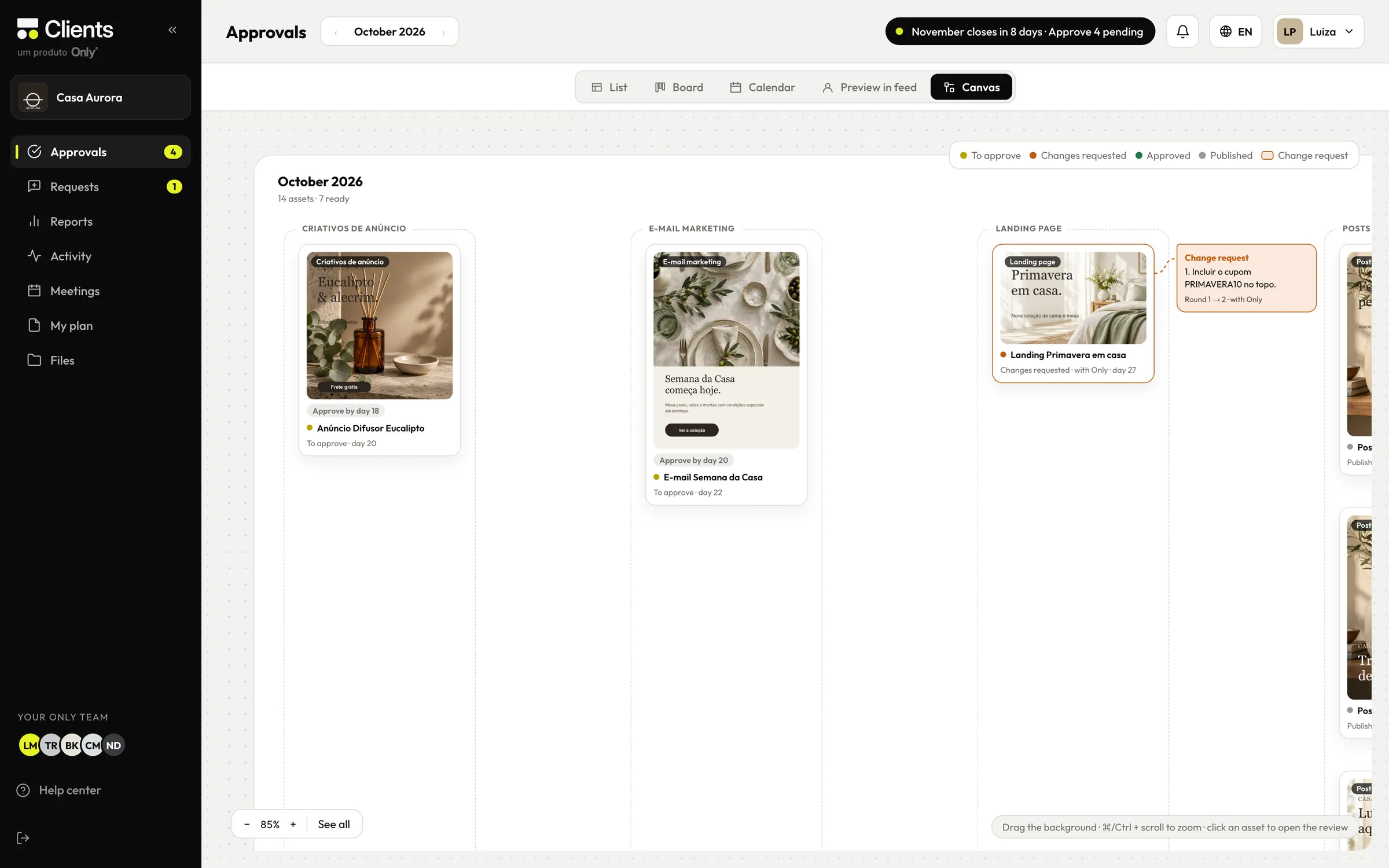
Only sends every asset ready to go. You see how it will look live, approve it or pin what you want changed on the artwork, and follow it until it's published.
Each asset with its artwork, caption and conversation, just as it will go live.
Pins on the artwork
Click where you want a change and type it. All your changes go together, in a single round.
 121 Bring the green vase forward
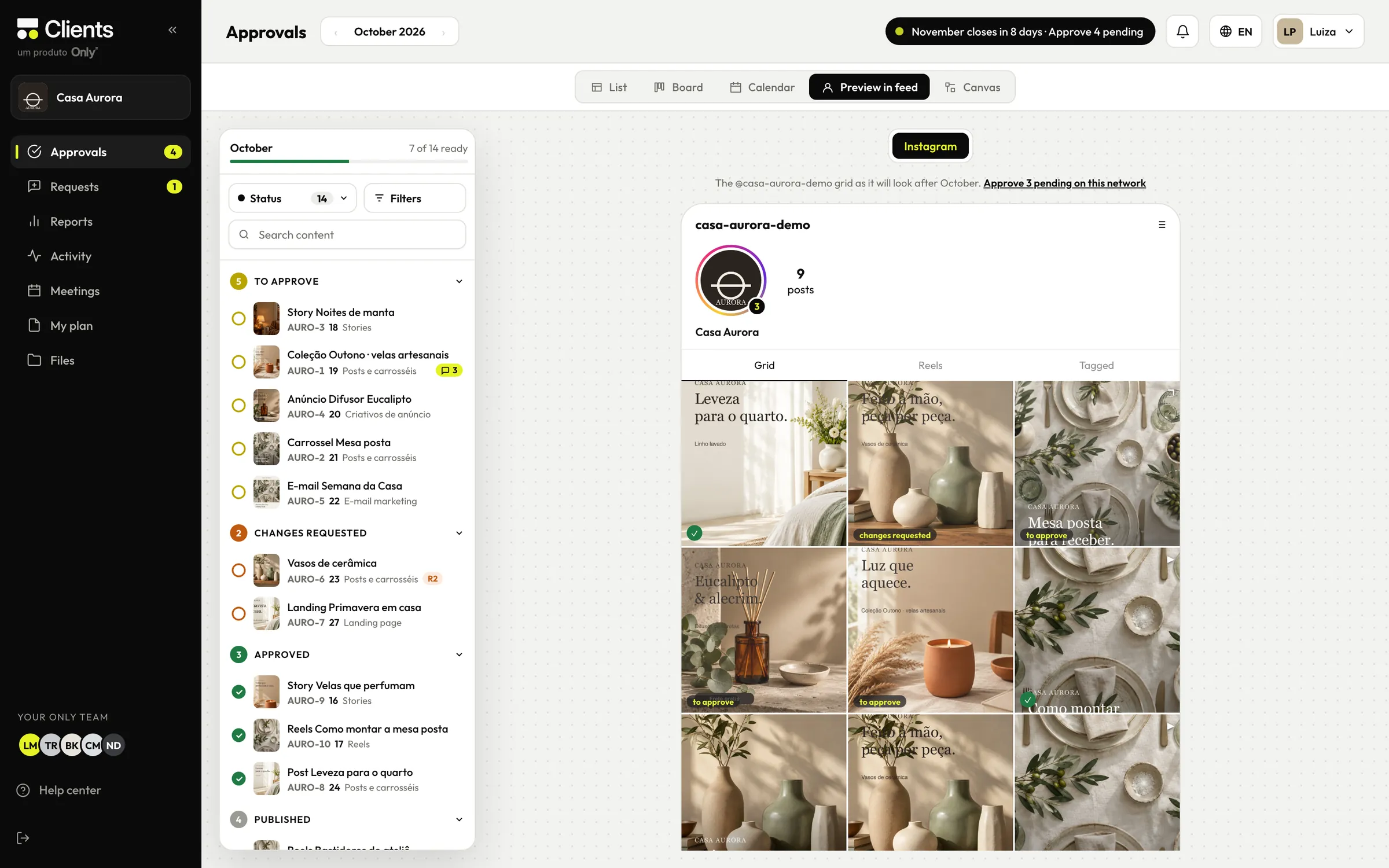
How it goes live
Post, story, reels, email or page: you see the asset in its real format, with the caption.
 casaauroraCuritiba···

casaaurora Light that warms 🕯️ Our handmade candles are here for fall.
Approve many at once
Select the assets you've reviewed and approve them all together.
Revision rounds
Every asset shows which round it's in and how many your plan includes. If it goes over the limit, Only tells you first as an extra round. Asked to hold an asset? It stays On hold, with no reminders, until Only resumes it.
You choose who approves
One approver, two where one is enough, or two who must both approve. Viewers follow everything, without approving.
Content plans and briefs to approve
Only sends the monthly content plan or the brief as a page with text, images and tables. You read it and approve it, with a note if you like, or request changes. When Only allows it, you edit the text right there.
Lívia · Account managerDecember plan: 8 posts, 4 reels and the Christmas special.
LuizaI swapped post 3 for the holiday menu. Approved!
Tomás · typing…
Tomás · Client servicePerfect! Production starts tomorrow.
Notifications at the right time
The bell in the portal, email and your phone let you know when a new asset arrives, when Only replies and when a deadline is near.
How to approve, step by step →
Real people behind every deliverable.
The people who write, design and look after your account appear with their name and role. The portal just puts it all in plain sight.
 Lívia · Account manager
 Tomás · Client service
 Bianca · Designer
Need something extra? Just ask.
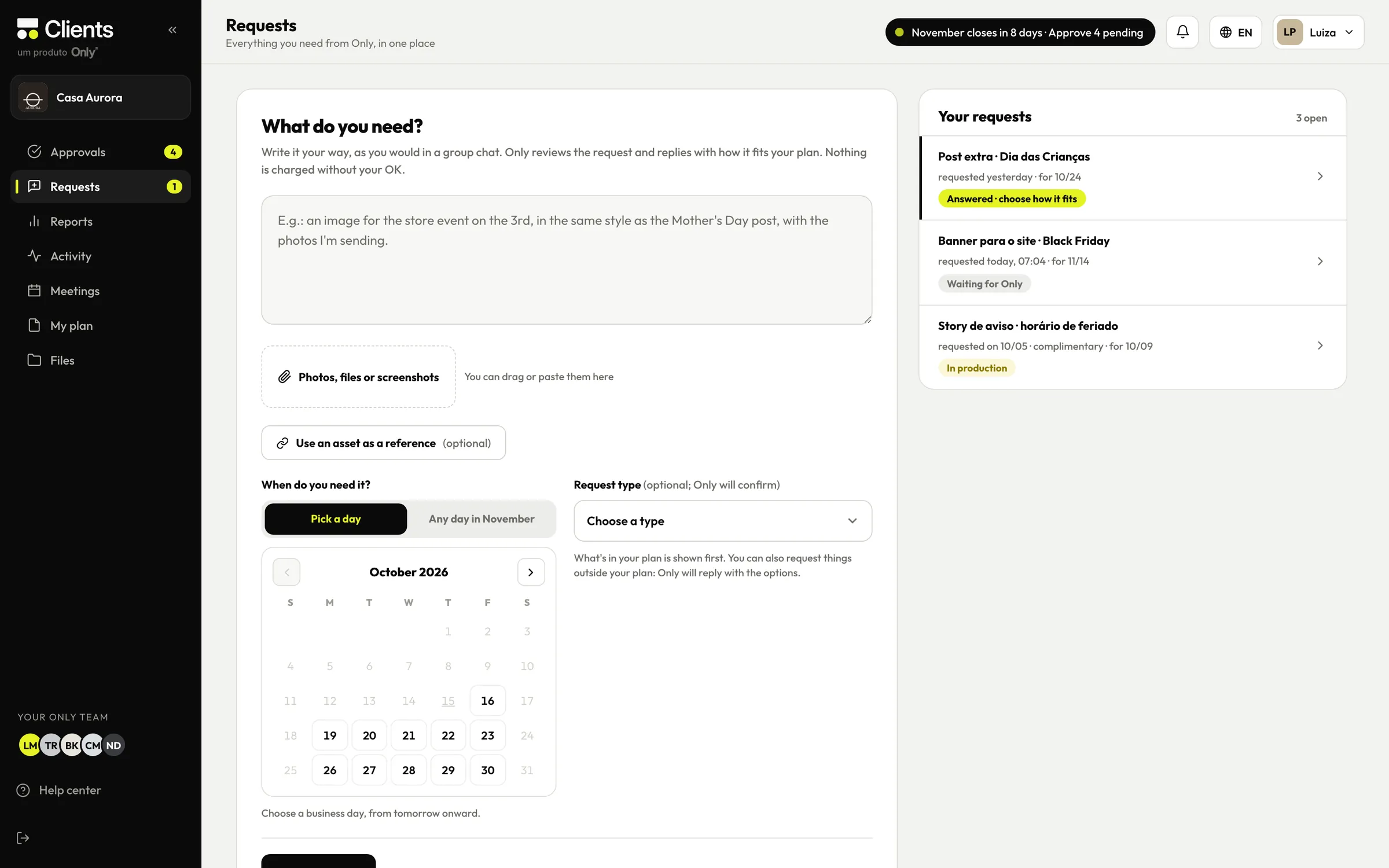
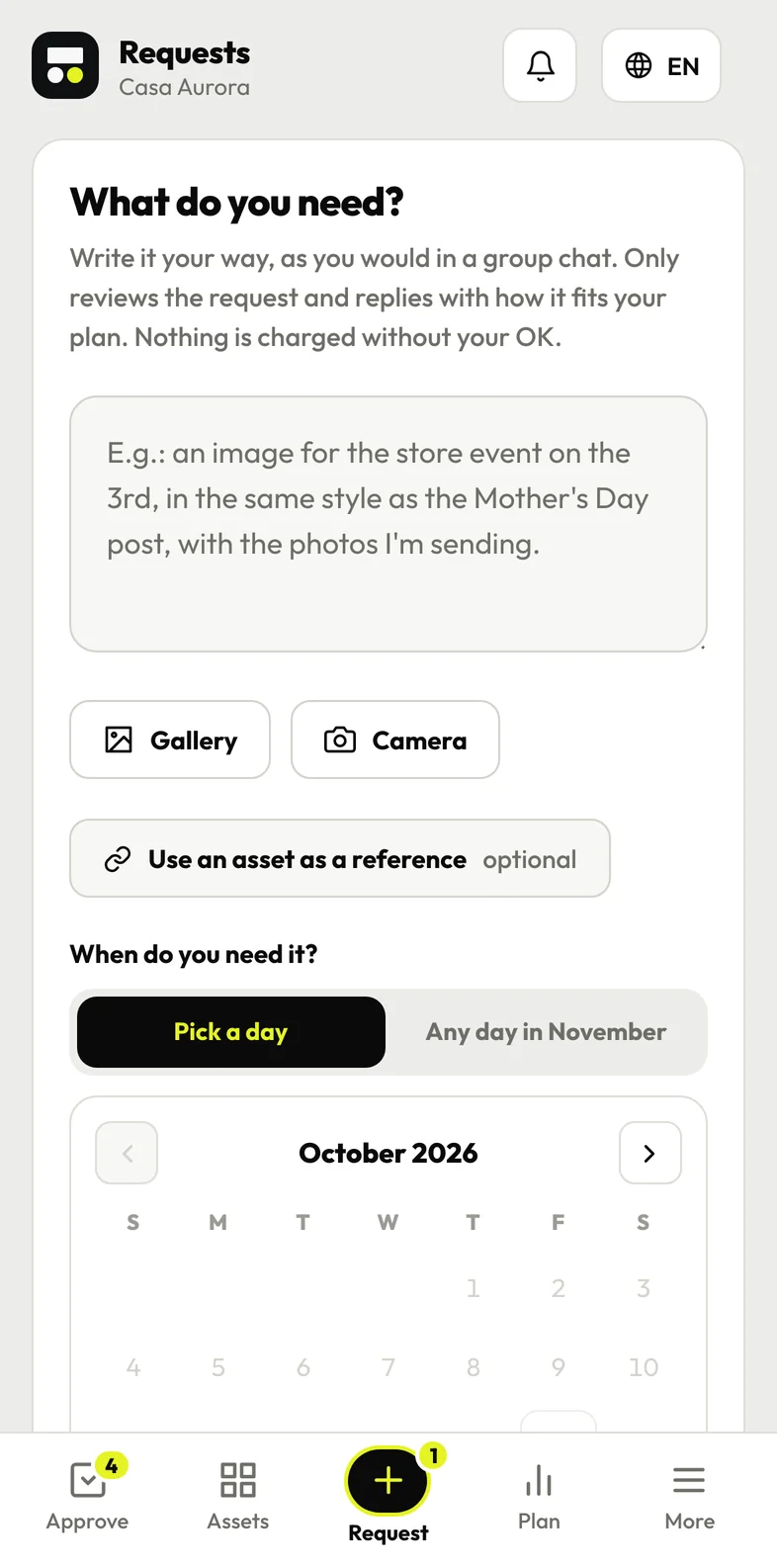
Write it your way, with photos and a date. Only replies and you choose how the request comes in.
You ask
A post, banner, video or whatever you need, right in the portal.
Only replies
As complimentary, as a swap for a plan item or with a quote.
You choose
With one click. Once approved, the request shows up in Approvals.
Extra badge
Anything beyond the plan gets the Extra badge and is counted separately. You always know what's in the plan and what's extra.
Content plans and briefs to approve
The request's conversation stays with it, from the first message to delivery.
How a request works →Results published, no need to ask.
Only publishes reports in the portal with the period's highlight and what was adjusted during the week. Open them whenever you like.
“The fall campaign brought 38% more visits to the site.”
This week's optimizationsMore budget for the candle ads, which performed best.
Open report“September closed as the best month of online sales this year.”
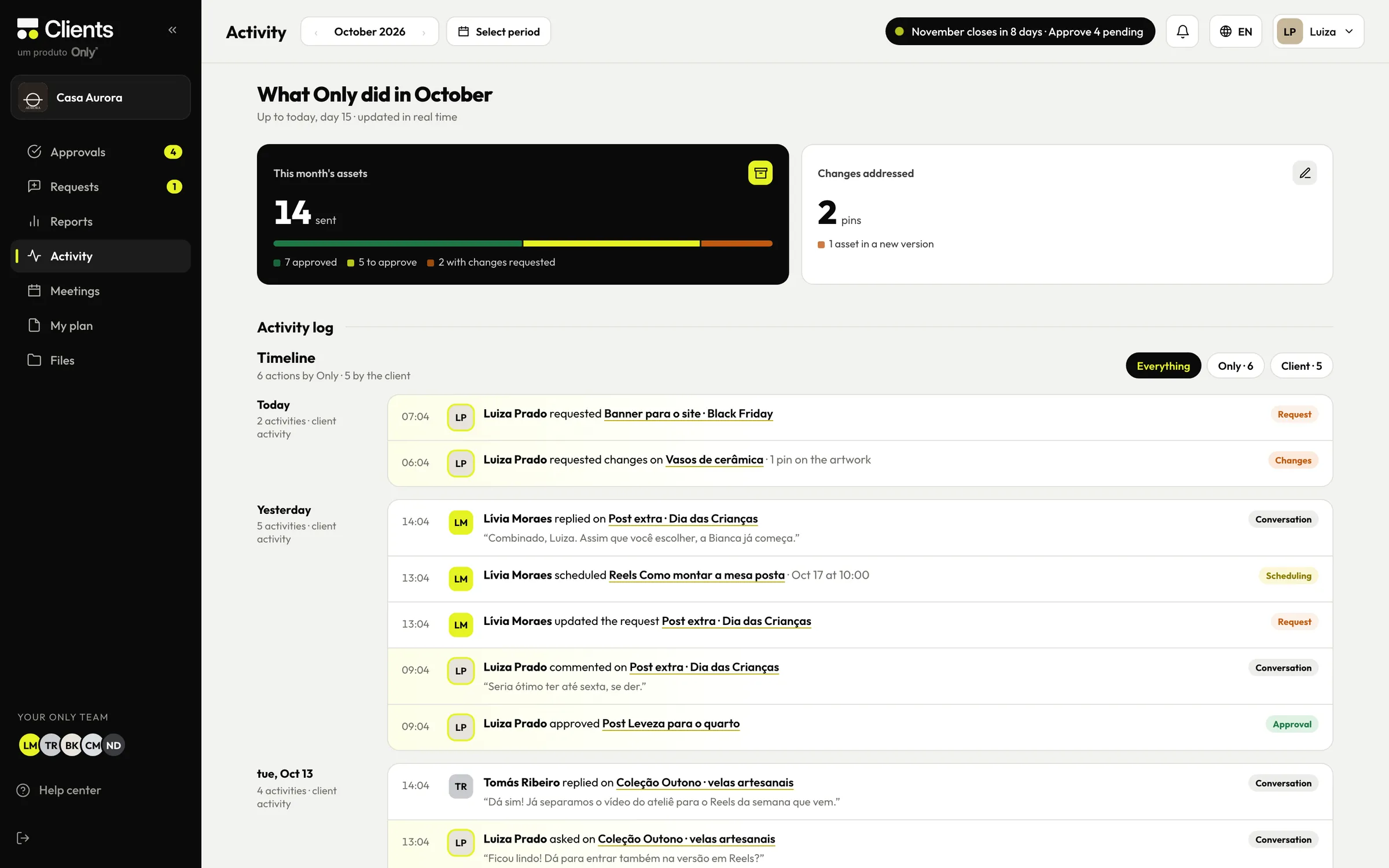
Everything that happened, in order.
Who approved, when Only sent a new version, what was scheduled and published, and what the team did on your accounts, with screenshots. A timeline no one can edit.

Transparency from start to finish.
From the planning meeting to the post going live, your company follows every step Only takes.
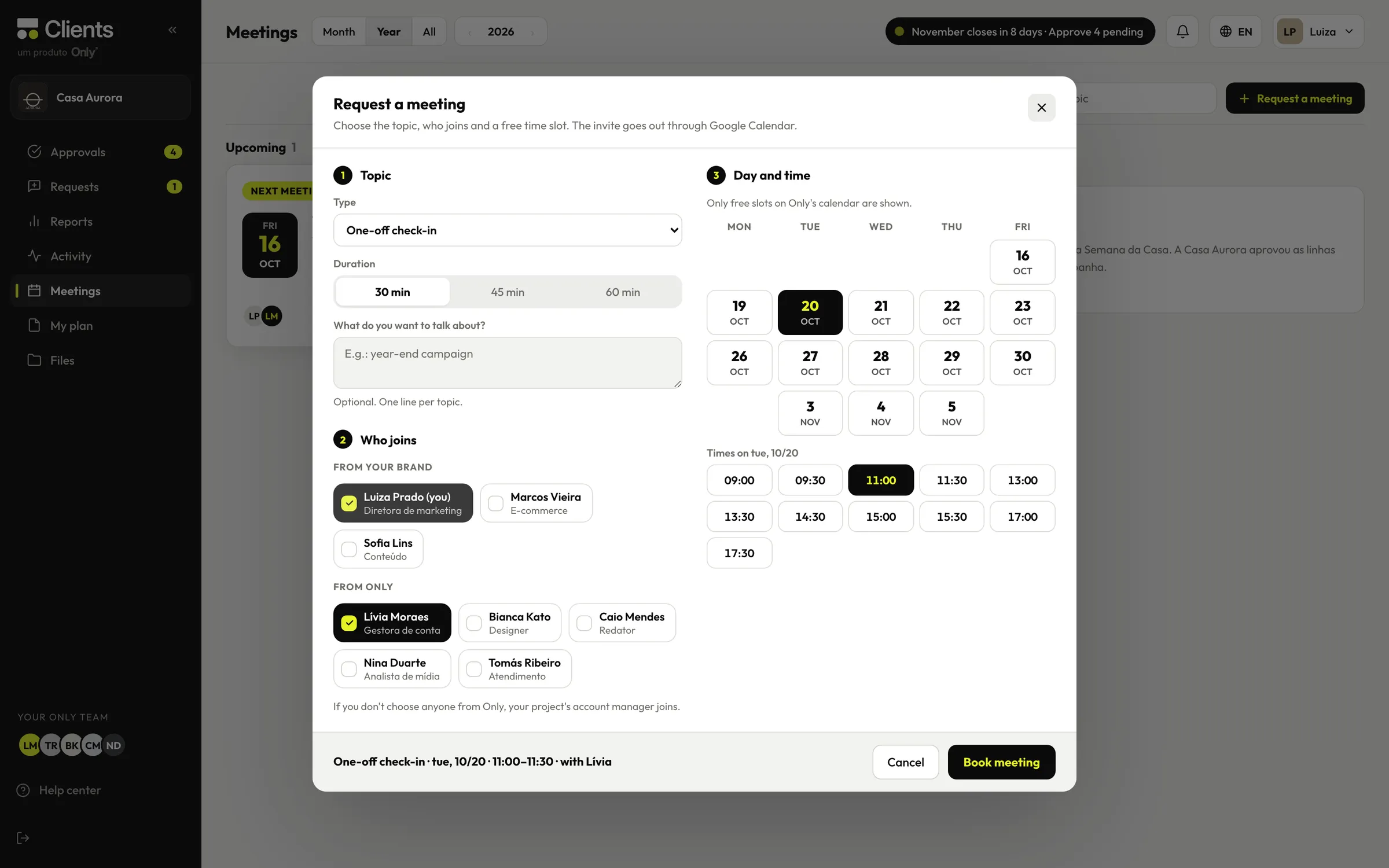
Book a meeting in a free slot. Then the recording, summary and next steps.
Request a meeting seeing only the free slots on Only's calendar and choose who joins. The invite lands in your calendar with the call link. Afterwards, Only publishes the summary with the decisions and who does what.
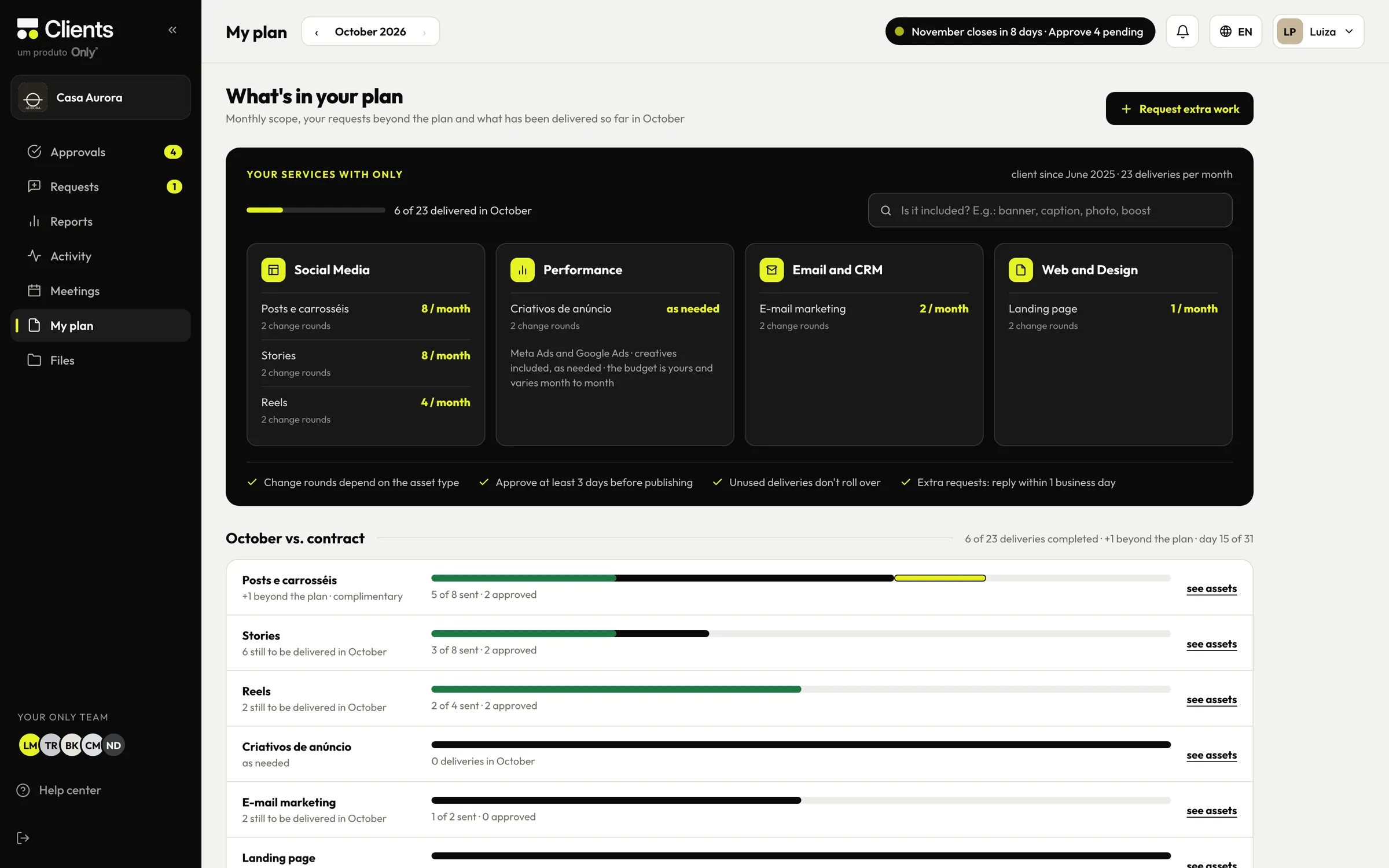
What you signed up for, in plain sight.
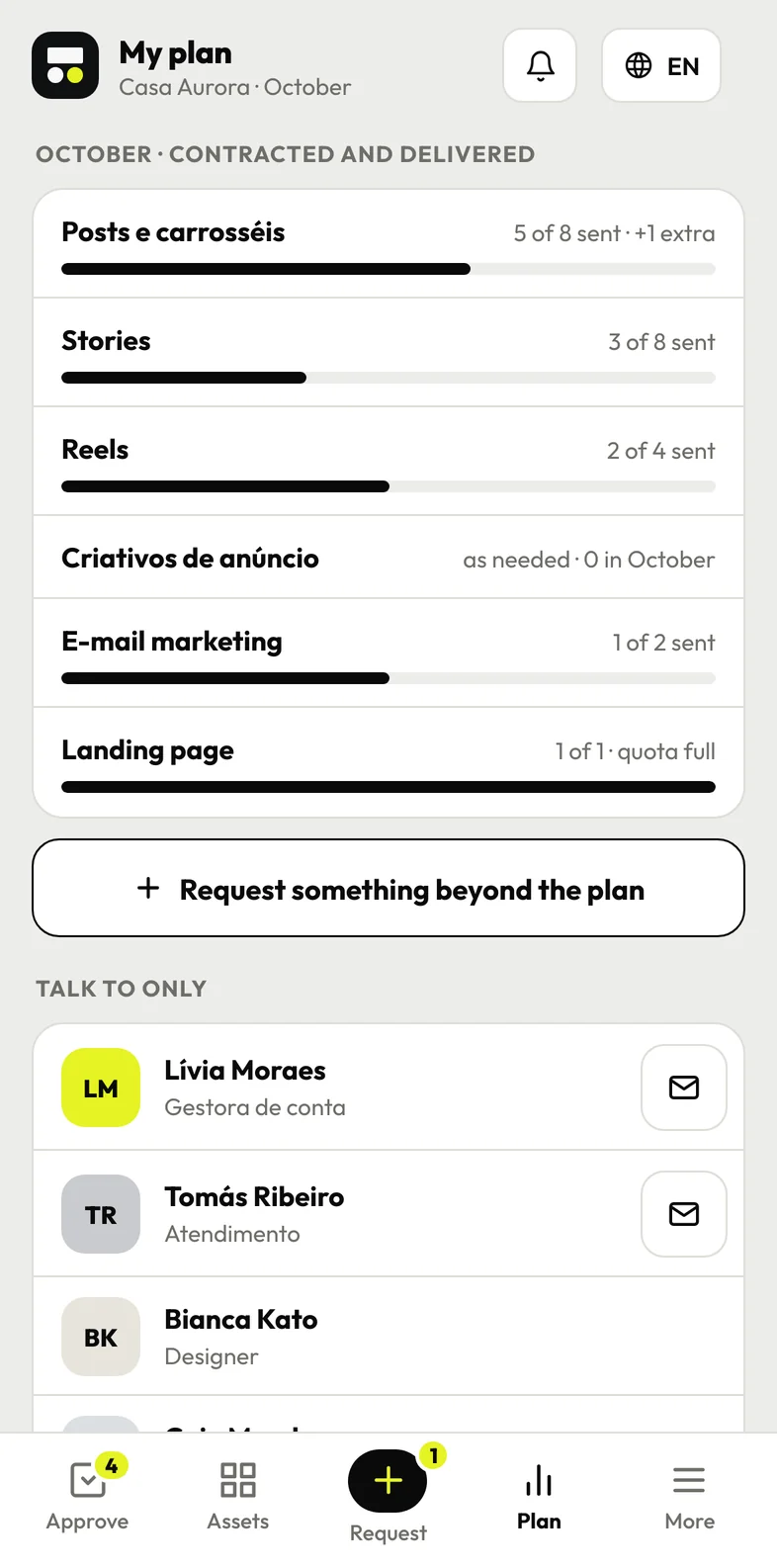
Your plan shows each service, the monthly amount (or per period, like one website every 6 months) and what's already been delivered. And who looks after your account at Only, with name and role.
Who looks after your company
 Lívia MoraesAccount manager
 Tomás RibeiroClient service
 Bianca KatoDesigner
 Caio MendesCopywriter
 Nina DuarteMedia analyst
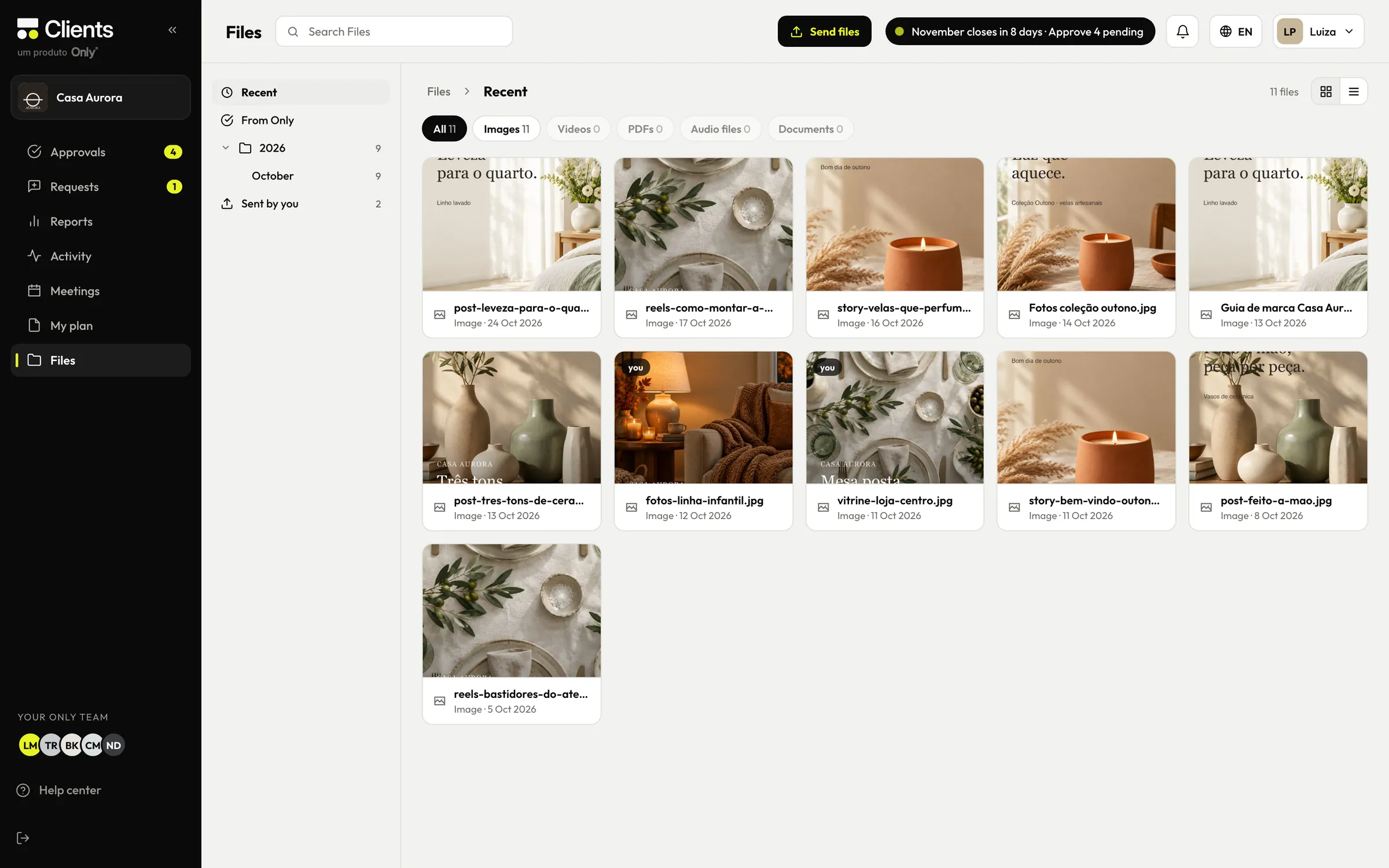
Your files, in the right place.
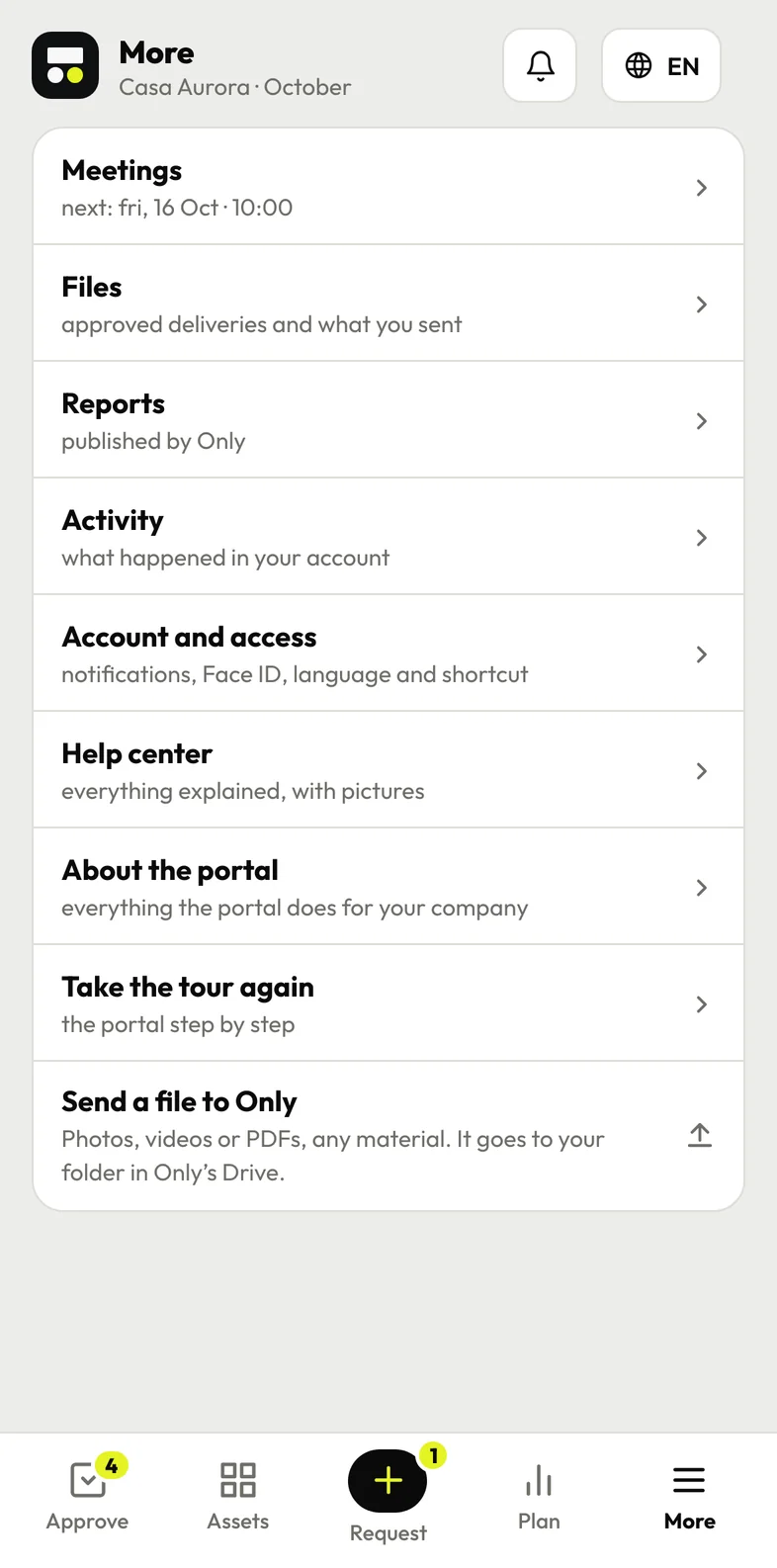
Send photos, videos and documents from your computer or phone. They go straight to your company's folder in Only's Drive, and approved deliverables are one click away.
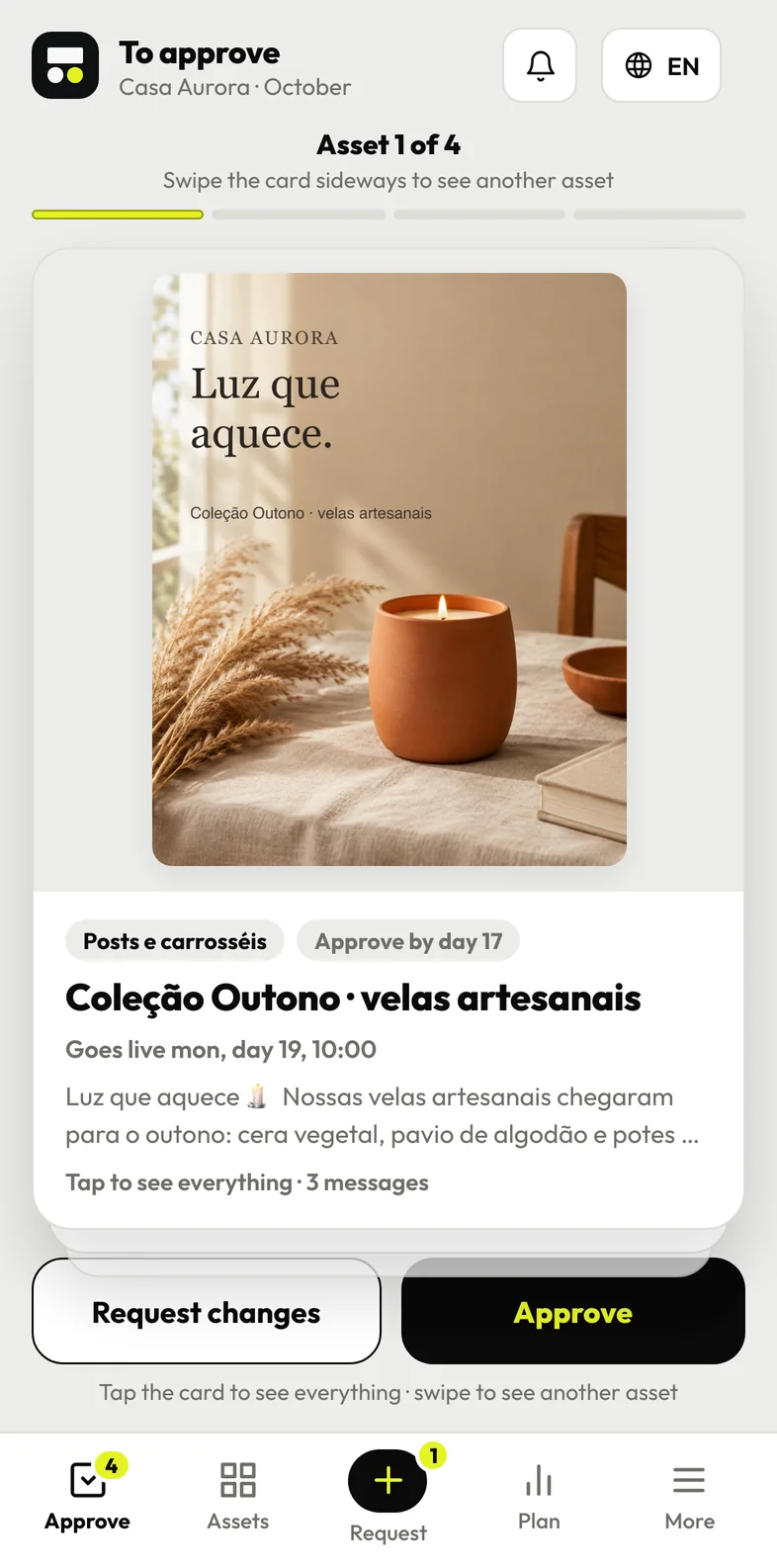
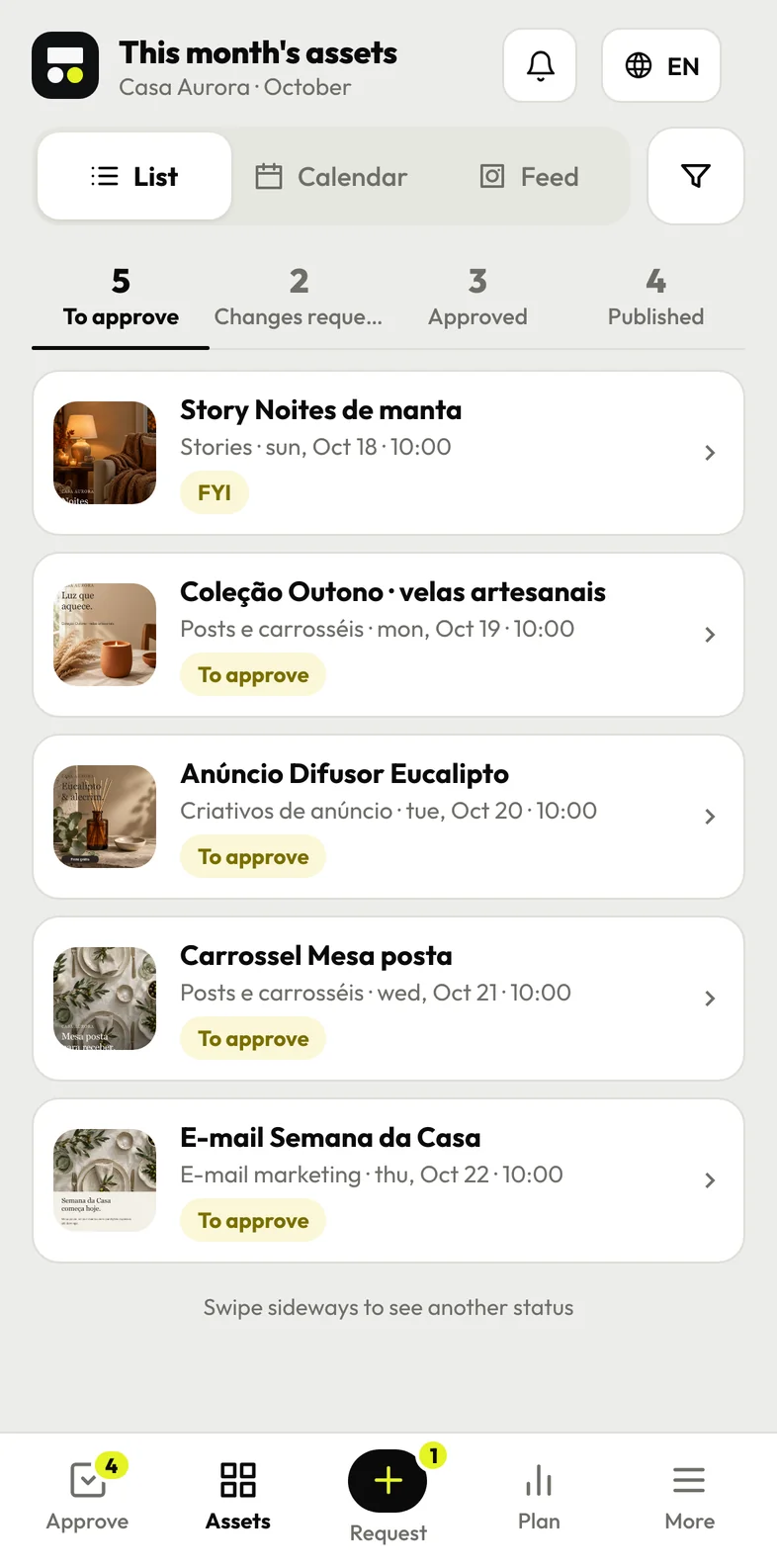
Approve from wherever you are.
On your phone, assets arrive as cards: swipe right to approve and left to request changes.

Several companies, one login.
Look after more than one brand or company with Only? Switch between them at the top of the portal, without signing out.
In Portuguese, English or Spanish.
Everyone sees the portal in their own language. What Only writes arrives translated, with the original always one click away.
The portal in under a minute.
See how your company follows, approves and asks for everything with Only.
Questions? The help center has answers.
Short guides for every screen in the portal, from your first sign-in to requests.
Search the help center↵Your company and Only, on the same screen.
Sign in with your email. We'll send you a link and you're in.
Sign in to the portal